|
Firmware Download |
  
|
|
Firmware Download |
|
This option allows to update device´s firmware trough WPS. It is available at Online menu.
It will be necessary to obtain - previously - the binary file from the supplier / technical support.
For more information on preparing the setup, see the Technical Support Manual for Firmware Update using WPS, available at http://www.weg.net.
To perform the firmware download:
1) Connect the device to the computer and make sure it is powered. It is not necessary to have a project or resource created in WPS.
2) Configure the communication by selecting the product from the list, then the physical layer and adjusting other settings, if necessary. More information is available at Comunication.
Click Test to verify that the device communicates with the WPS.
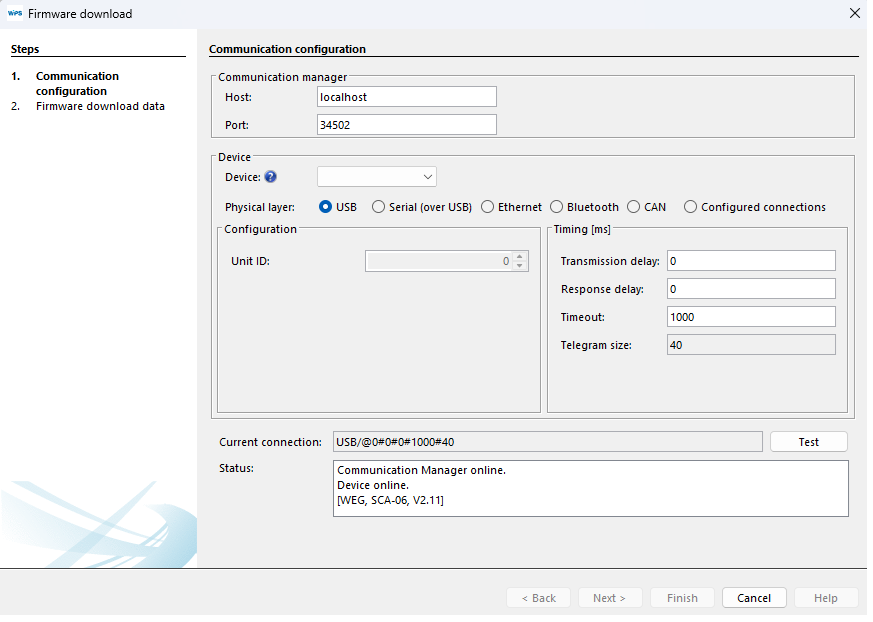
3) If there were communication between the WPS and the device, the Next button will be enabled. Click Next:

4) On the next screen, click "..." and select the binary file (*.bin) that was previously provided.
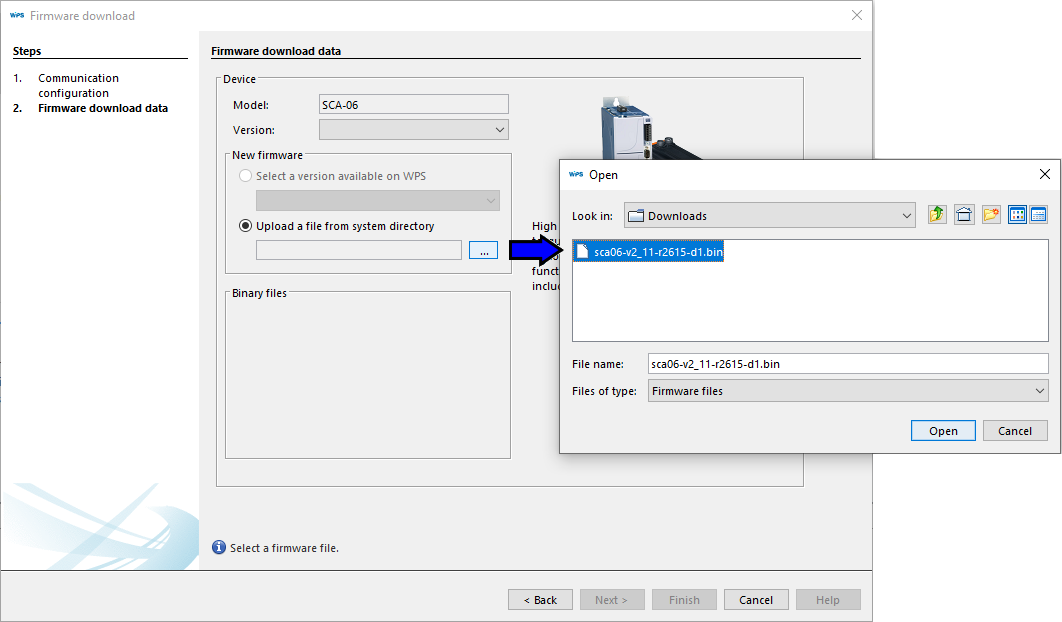
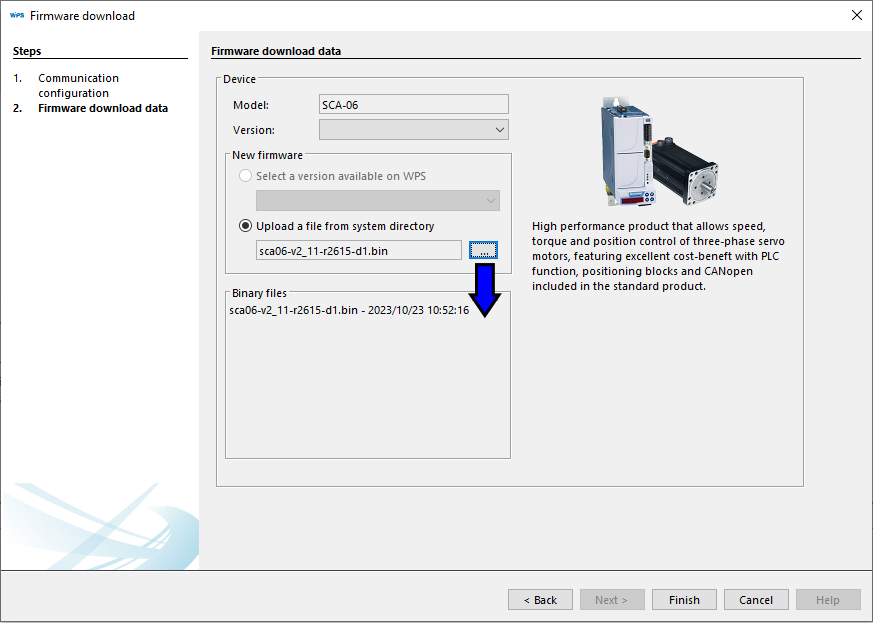
5) The binary file information will be displayed below the selected file.
Click Finish to close the wizard and start writting the firmware.
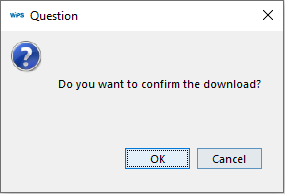
6) A confirmation message is displayed.
Click OK to confirm:
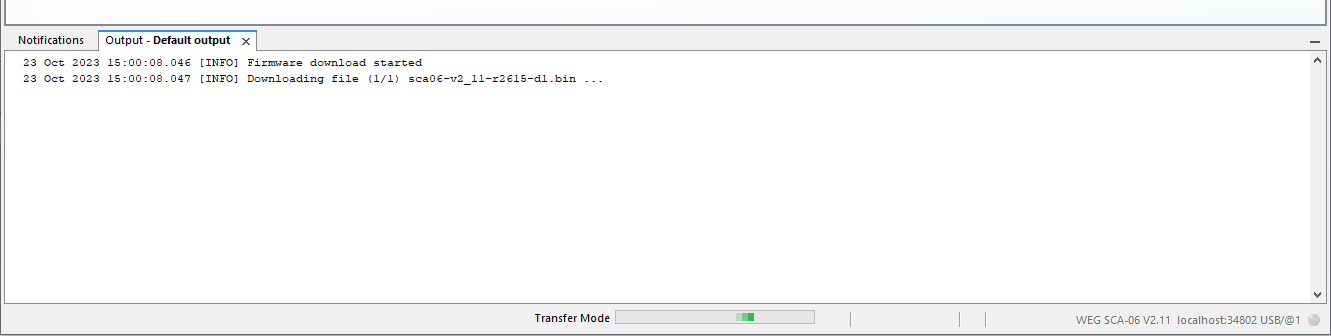
7) The firmware writting starts. Wait for the process to complete.
The information is presented in the Output window and in the status bar:
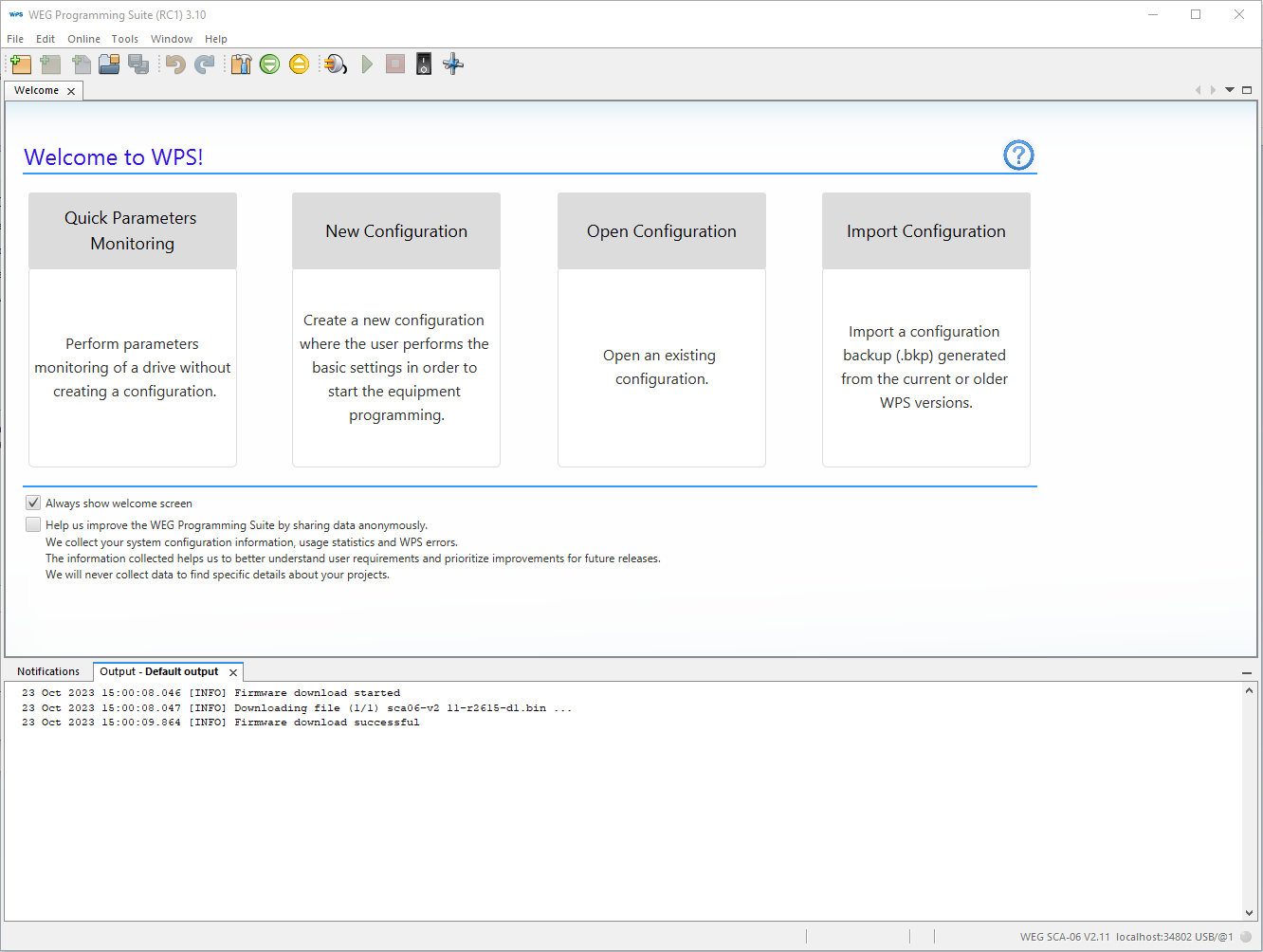
8) Upon completion of recording, a message in the Output window is displayed and the device resets.
Depending on the device, it is necessary to configure the communication parameters to re-communicate with the WPS.
|
NOTE! The firmware update process will not be completed if the binary file is incompatible or if it is corrupted.
Before updating the firmware, stop running program and make sure that the device is not in operation (motor run). |
