|
Configuration |
  
|
|
Configuration |
|
Overview
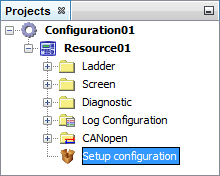
The setup configuration of the PLC300 is accessed by double clicking the shortcut available in the resource as shown in the following figure.
|
ATTENTION! When creating a new resource in the WPS, the setup configuration values will be the standard values of the PLC300. We recommend to review these values according to the requirements of the application and to send these adjustments according to the following explanation. |
The setup configuration window is divided into tabs and has two buttons to access the PLC300 as shown in the following figure.
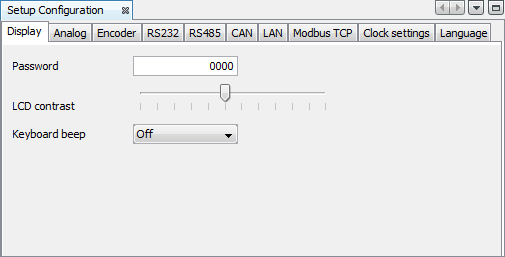
The Write Configuration and Read Configuration buttons are only active when the WPS is connected to the PLC300 through the command Connect Device  .
.
| • | Write Configuration: It sends all configurations adjusted in the setup configuration screens to the equipment. |
| • | Read Configuration: It receives all the configurations adjusted in the equipment and configures the screens according to the received values. |
