|
Event Log |
  
|
|
Event Log |
|
Overview
The event log is a set of variable values that are stored, with date and time, in the SD card of the device in the csv (comma separated value) format. Those values are recorded after the occurrence of events that may be of the following types: time, change of state or trigger. For each event log file, the file recording interval is configured and a Boolean variable, which is responsible for enabling or disabling the log through the program, is associated to it.
A text may be associated to each log configuration file, which will be presented together with the variables as soon as the upload of the event log is performed (see Text Field Configuration section).
In the option menu of the event log, it is possible to carry out the following actions:
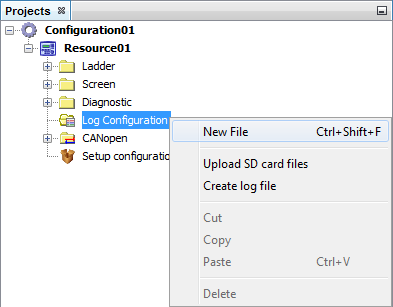
| • | Add a new event log: in order to add a new event log, it is necessary to select the New file option from the folder Event log. For further information on how to configure the event log, see Event log configuration section. |
| • | Upload SD card files: after the download of the event log files configured for the equipment, it is possible to upload these files to view the events occurred. For more details, see Upload SD card files section. |
| • | Create log file: This functionality allows the user to create a log file within a defined period with the log files loaded in the project. For more details see Creation of log files section. |
Event Log Configuration
In the event log configuration window, you configure: the recording interval of the event log file, the type of event log, the Boolean variable that enables the event log and the text to be displayed in the event log.
| • | File interval: In the file interval field , the duration time of the recording of the data in a single file is configured. The options of this field are the following: |
| o | Single: The data will be recorded in a single file. |
| o | Daily: The data will be recorded in a file a day. The recording of a new file begins whenever the day on the clock of the device changes. The file is recorded with a suffix containing the day, month and year on which its recording began. |
| o | Monthly: The data will be recorded in a file a month. The recording of a new file begins whenever the month on the clock of the device changes. The file is recorded with a suffix containing the month and year in which its recording began. |
| o | Annual: The data will be recorded in a file a year. The recording of a new file begins whenever the year on the clock of the device changes. The file is recorded with a suffix containing the year in which its recording began. |
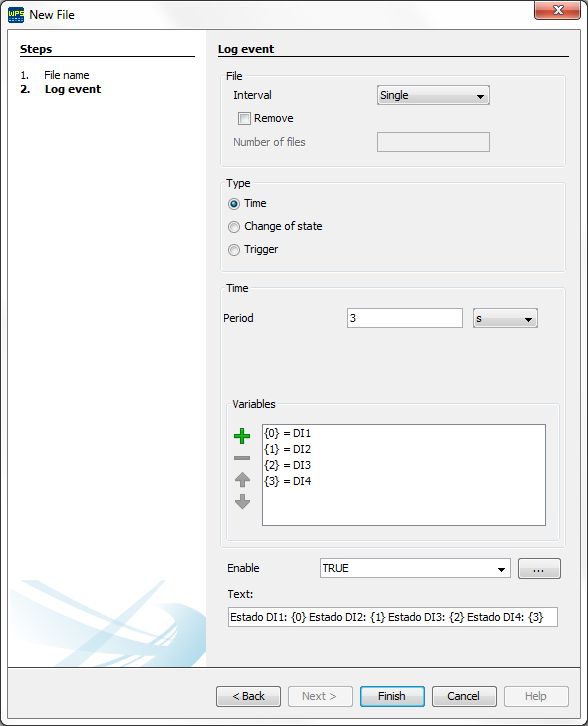
Event log type
The event log can be of time, change of state and trigger type.
| • | Time |
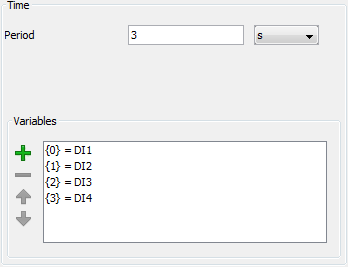
The event log is recorded in time intervals defined in the field Period. The value configured in the field Period must be a whole value greater than zero and smaller than 4294967295 s. The time unit can be selected from seconds, minutes or hours.
In the field Variables you select the variables that will be sampled in the configured period.
| • | Change of State |
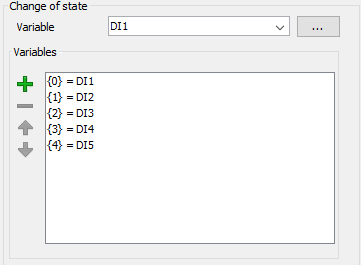
The event log is recorded after a change in the value of the selected variable. Only the value of the selected variable is recorded in the event log.
In the field Variables you select the variables that will be sampled after the change of state.
|
NOTE! The list of variables is possible only in firmware versions higher than 3.30. For these versions, the variable that triggers the event log is not written in the event log, unless the variable is added to the list. |
| • | Trigger |
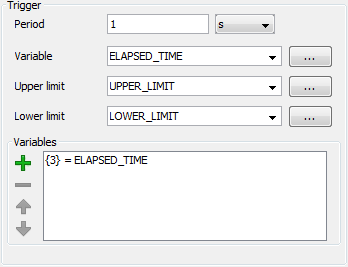
As in the Time event, the event log is recorded in time intervals defined in the field Period, but only when the value of the configured variable in the field Trigger is within the limits selected in the variables of the Upper limit and Lower limit fields. The value configured in the Period field must be a whole value greater than zero and smaller than 4294967295 s. The time unit can be selected from seconds, minutes or hours.
In the field Variables you select the variables that will be sampled in the configured period.
Text field configuration
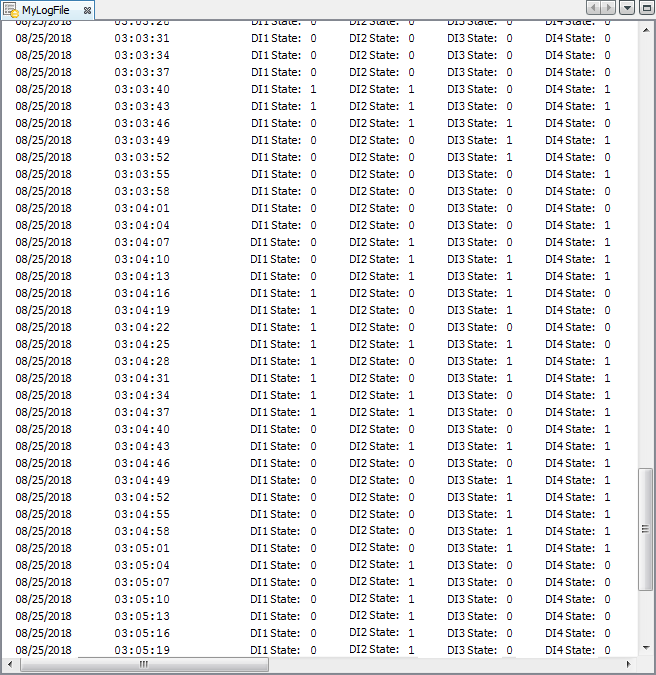
In the Text field, it is possible to add a text to be shown together with the variables. This text will be added as soon as the event log file is loaded (through the upload of log files) to the WPS.
For the variable values to be inserted in any position of the text, markers will be added to the text which will be replaced by the variables.
According to the type of event log selected, the markers must be added the following way:
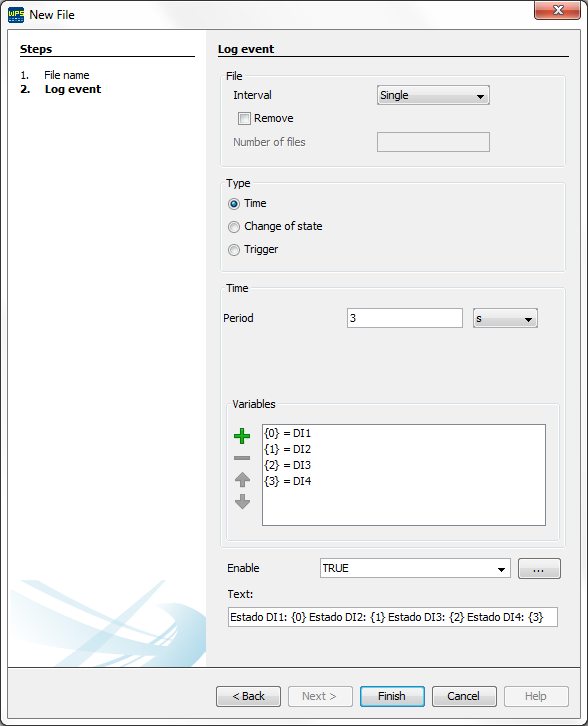
| • | Time: the first variable of the list is represented by the marker {0}, the second by the marker {1} and thus successively. |
| • | Change of State: the only variable selected will be represented by the marker {0}. |
| • | Trigger: the Trigger variable is represented by the marker {0}, the Upper limit by the marker {1}, the Lower limit by the marker {2}, the first variable of the list by the marker {3}, the second by the marker {4} and thus successively. As an example, below is the configuration of an event log of the Trigger type and its log file. |
Upload of log files
There are two ways to upload the log files: upload all the project files or upload the files individually.
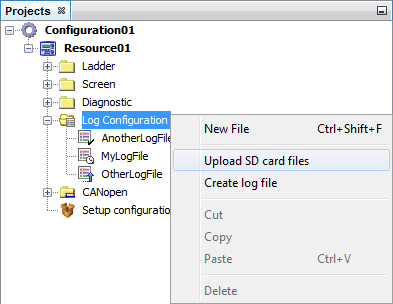
In order to upload all the log files configured in the project, it is necessary to select the folder Event log with the right button and select the option Upload SD card files.
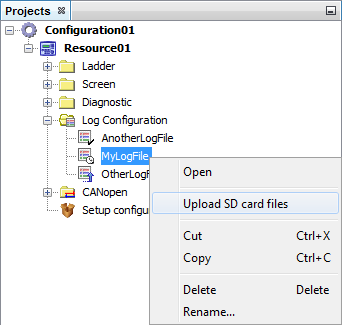
In order to upload the files associated to only one event log configuration file, it is necessary to click the right button on the event log configuration file and select the option Upload SD card files.
|
ATTENTION! When uploading files, the previous files (with the same name) will be overwritten. |
Creation of log files
Through the log file creation tool, it is possible to create new event log files using the log files previously loaded on the project. Thus, it is possible to define the initial and final log interval and which log files must be used. In order to begin the creation of a new log file, it is necessary to click the right button of the mouse on the folder Event log and select the option Create log file. The configuration options for the new file are the following:
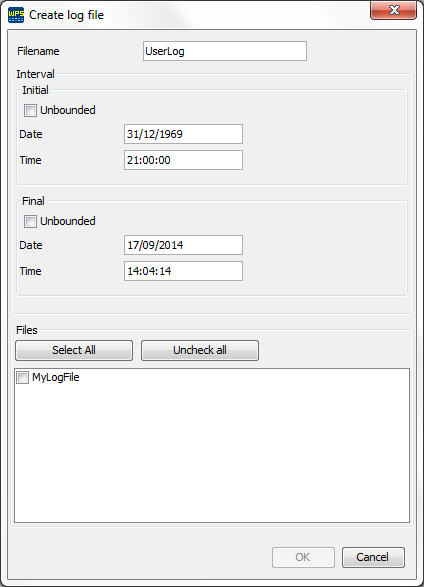
| • | File name: Name that will be used in the log file created. If the name already exists, the data will be overwritten. |
| • | Initial interval: It determines the initial day and time of the file logs. If the Unlimited option is selected, there will not be a minimum value for the date. |
| • | Final interval: It determines the final day and time of the file logs. If the option Unlimited is selected, there will not be a maximum value for the date. |
| • | Files: It selects the log files that will be used to generate the new log file. |

