|
Title and Comment |
  
|
|
Title and Comment |
|
In order to edit the rung title and comment, just double click on the title and comment area with the mouse or press the Shift+F2 keys. The following dialog will appear.
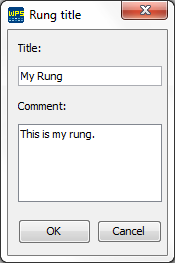
Figure 1: Editing the Rung Title
After editing the title and comment, the editor will become as follows.
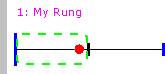
Figure 2: Rung with its Title