|
Oriented Start-Up |
  
|
|
Oriented Start-Up |
|
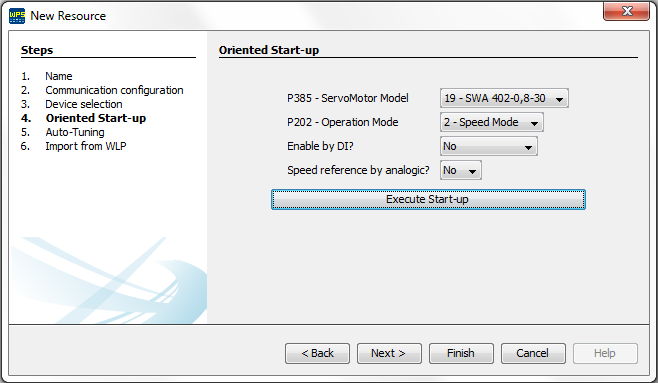
The function Oriented Start-Up is utilized to realize the minimal required configuration to put SCA-06 into operation.
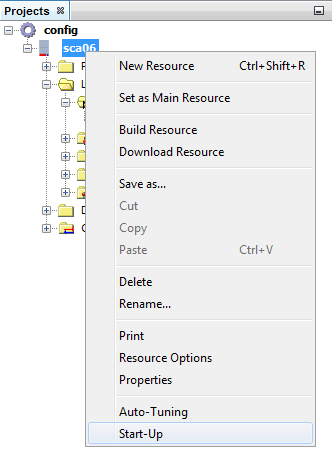
The Oriented Start-Up can be executed during the resource creation, or throught the context menu off the resource by selecting the option Oriented Start-Up.
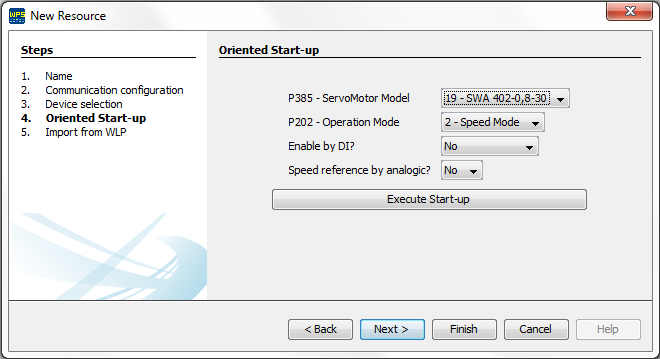
| 1. | On the Start-Up screen the main options that require configuration are the parameters P385 (Servomotor Model) and P202 (Operation Mode). |
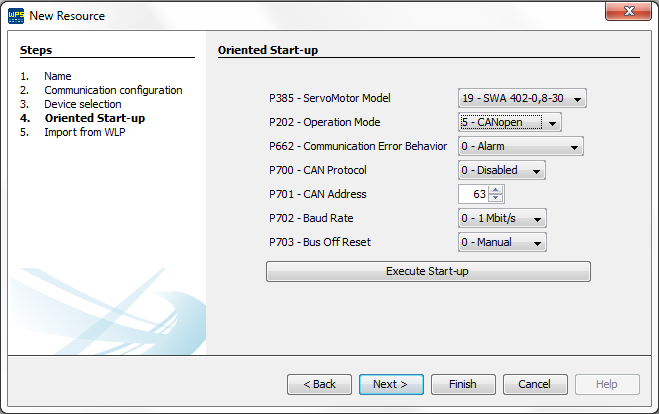
| 2. | According to the operation mode selected the configurator will be adjusted enabling or disabling other options, below is a example of the options enabled when the operation mode is 5 - CANopen. |
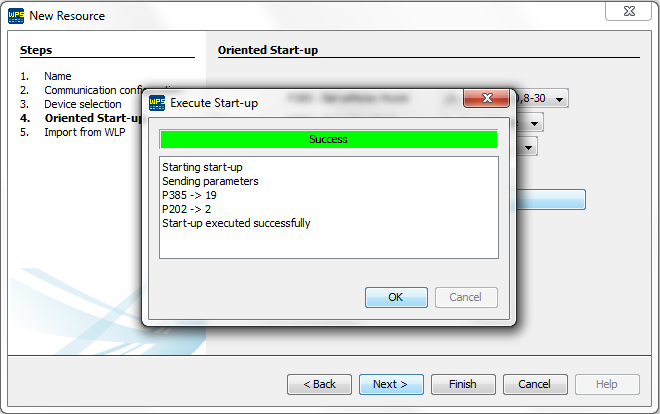
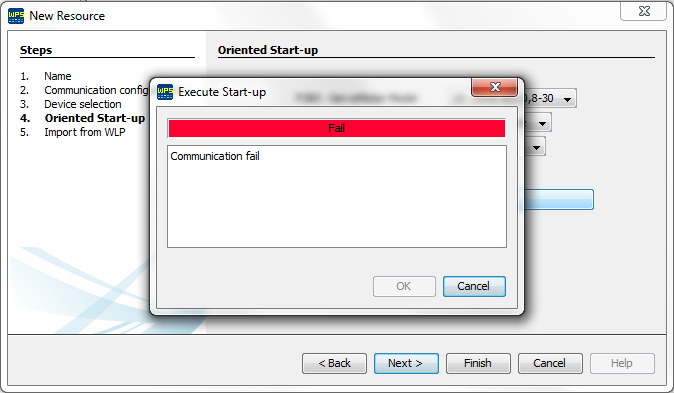
| 3. | After the definition of the operation mode and other options, is only necessary to click on Execute Start-Up, if it is executed properly a message informing success will be displayed otherwise a message informing fail will be displayed. |
| 4. | After the successfull execution of the Start-Up during the resource creation, the system will enable a step named Auto-Tuning in the wizard, this step is up to the user to perform or not. |