|
Auto-Tuning |
  
|
|
Auto-Tuning |
|
The function Auto-Tuning is utilized to realize automatic adjusts on SCA-06 to obtain a better performance of the equipment.
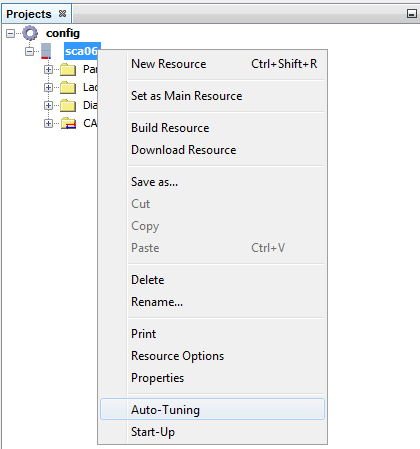
The Auto-Tuning can be executed during the resource creation, or throught the resource context menu by selecting the option Auto-Tuning.
| 1. | On the Auto-Tuning screen the options that require configuration are P582 (Rotation Direction) and if the user program should be stopped before execution and started again after the Auto-Tuning conclusion. |

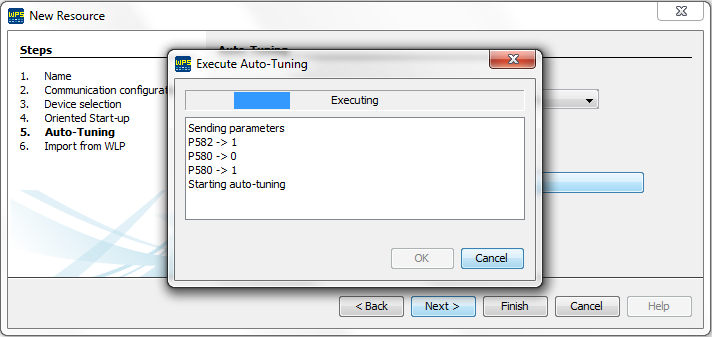
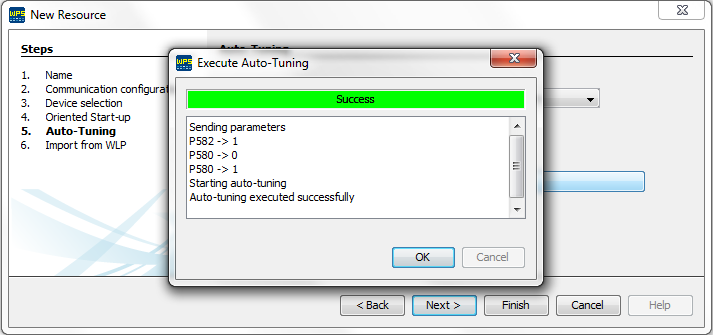
| 2. | After choosing the options is only necessary to click on Execute Auto-Tuning to start the process that takes less than a minute. if it is executed properly a message informing success will be displayed otherwise a message informing fail will be displayed. |