|
Download |
  
|
|
Download |
|
The download download of the resource download downloads the configuration files of the memory areas, volatile data, retentive data, programs, source code, recipes for the equipment internal memory and configuration parameters.
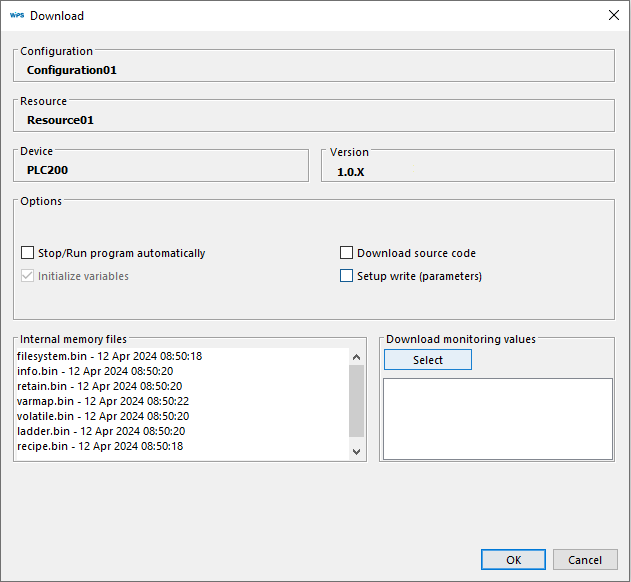
Figura 1 - Janela de download do recurso
It is also possible to perform the following operations during the download download of the resource:
| • | Initialize variables: Initializes volatile, retentive and output variables. This option is only available for firmware version 1.70 and up firmwarein older versions, variables are always initialized every download. download. |
| • | Source code download: Downloads download the resource source code. |
| • | Stop/Run the program automatically: Disables the warning windows that inform the program will be stopped (Figure 2) and the prompting window that asks if you wish to execute the program (Figure 3). |
| • | Write setup (parameters): Downloads download offline values from the parameter table. |
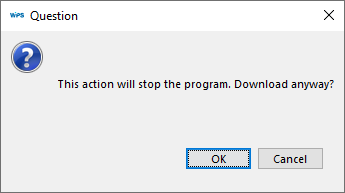
Figura 2 - Janela de aviso que o programa será parado
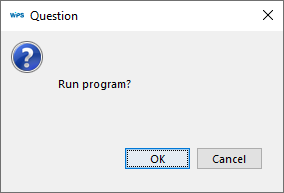
Figura 3 - Janela de pergunta executar o programa
|
NOTE! At the beginning of this procedure, when the device memory is empty, a log message will be displayed indicating failure to enter the transfer mode and/or failure to read the device information file. |
