|
Desktop |
  
|
|
Desktop |
|
Whenever a Ladder file is opened through its shortcut in the project tree, the variable/Ladder editor will show as per the figure below.
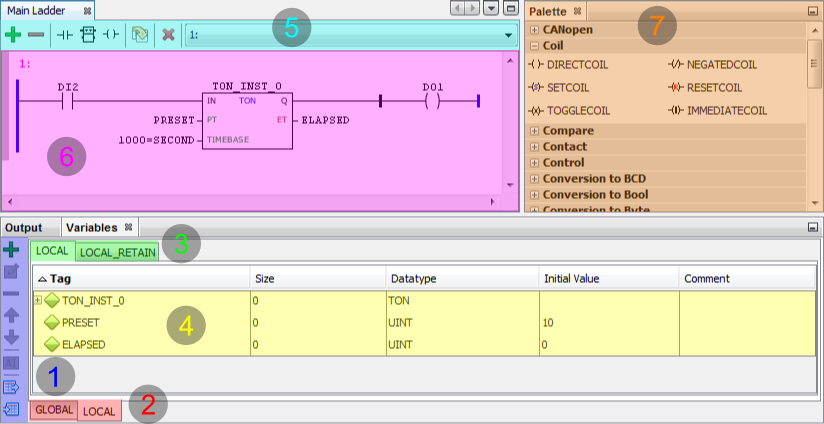
Figure 1: WPS Ladder Editor Desktop
The variable/Ladder editor has the following components:
| 1. | Toolbar to edit variables |
| 2. | Variable scope |
| 3. | Variable group |
| 4. | Variable list/editor |
| 5. | Program edition toolbar |
| 6. | Editor Ladder/rungs |
| 7. | Ladder component palette |
|
NOTE! If any docker is not visible, activate through the Palette item in Window menu. |
