|
Establishing Communication - RS485 |
  
|
|
Establishing Communication - RS485 |
|
The equipment must be at a certain distance from the computer according to the table below.
Baud Rate (bps) |
Maximum Cable Size (ft) |
Maximum Cable Size (m) |
9600 |
3280.84 |
1000 |
19200 |
3280.84 |
1000 |
38400 |
3280.84 |
1000 |
The connection of the computer to the isolated USB to RS485 converter is done by means of the USB Cable.
In this case, it is necessary to install the USB driver of the isolated converter, normally supplied by the manufacturer of the converter.
CFW300
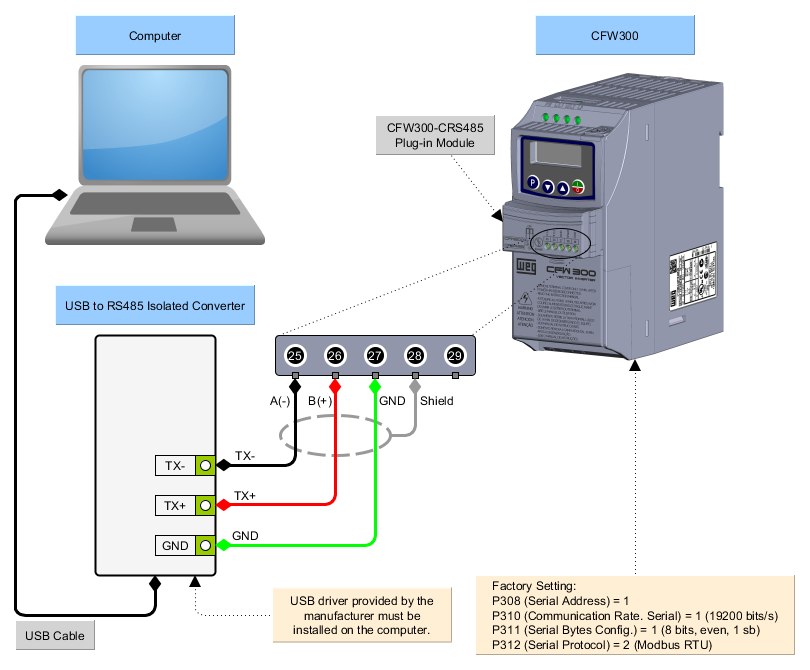
1) Connection of the Computer to the Equipment
The figure below shows how to connect a computer to the equipment via RS485.
2) Computer - Plug-In Module Connection
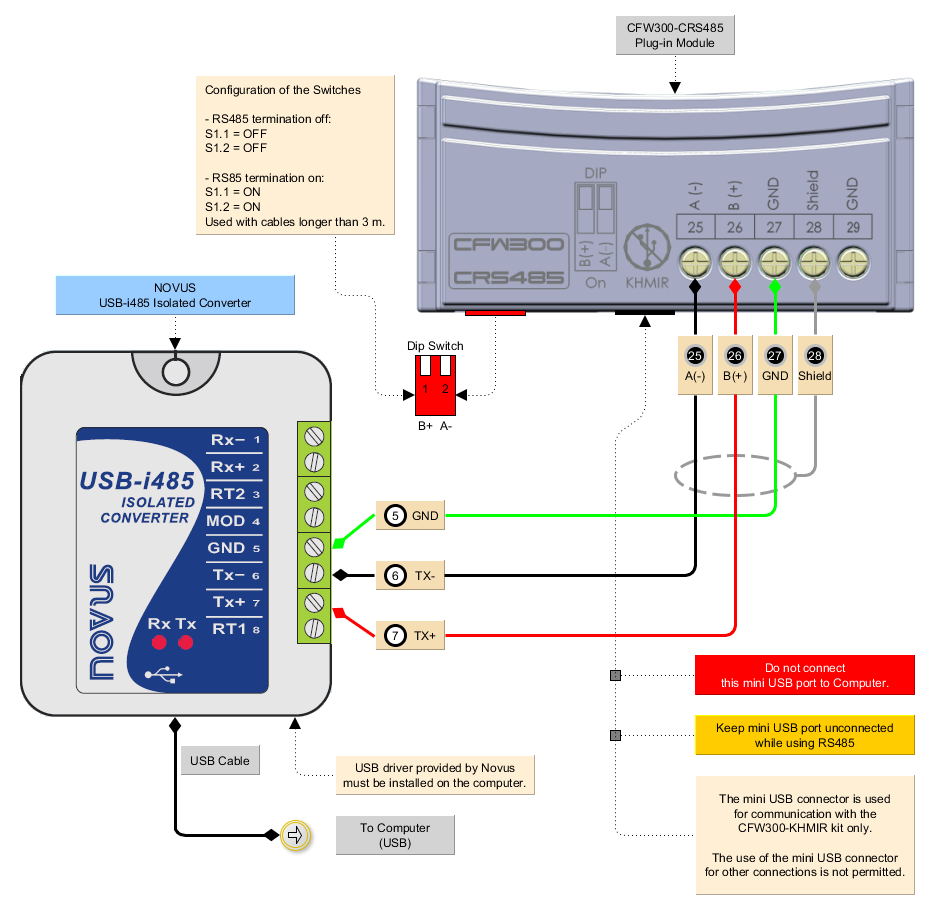
The figure below shows an example using the Novus USB-i485 converter.
3) Windows Device Manager
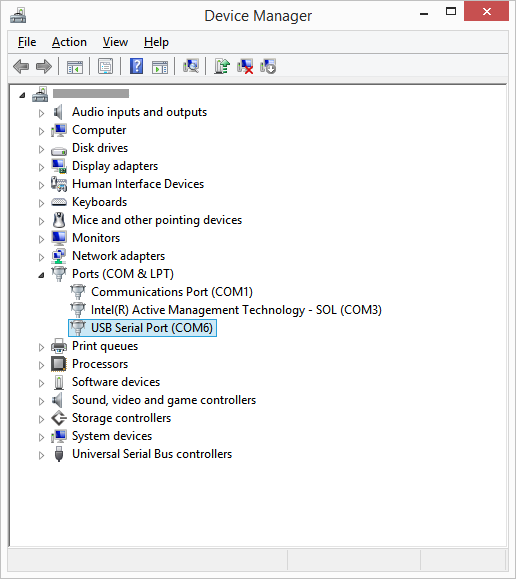
The Windows device manager indicates the serial port connected to the device.
The computer name on the device manager is illegible on purpose.
4) Communication Configuration on the WPS
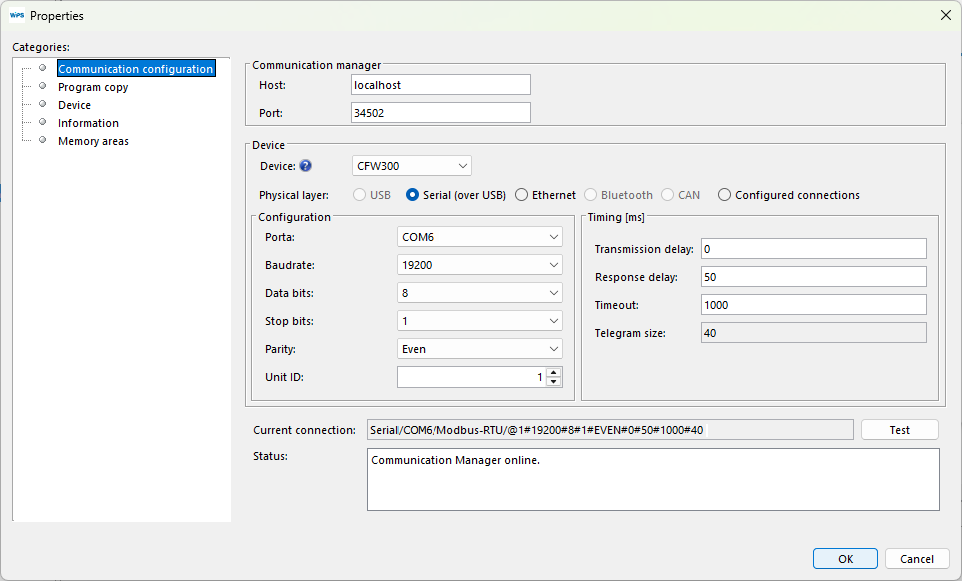
On the WPS, select the serial port correctly in the window Property > Communication Configuration as follows.
|
NOTE! Turn off the device before connecting accessories or before connecting wires, then re-power the device before testing communication. |
5) Connecting the Equipment
| 1. | Make the connections from the connector of the isolated USB RS485 converter to the CFW300-RS485 accessory as shown in the previous figures; |
| 2. | Insert the USB cable into the connector of the isolated USB RS85 converter and into the computer USB port; |
| 3. | In the device manager, check which serial port is connected; |
| 4. | Make sure that the serial connection is selected in the Communication Configuration category of the resource Property window; |
| 5. | The serial port and its resource configuration on the WPS must be the same serial port that appears in the Windows device manager where the USB cable is connected; |
| 6. | Never change the values in parameters P308, P310, P311 and P312 during a connection. Changing those parameters causes the immediate loss of communication between the PC and the equipment. |
