|
USB Cables |
  
|
|
USB Cables |
|
The figure below details the cable for the point-to-point USB connection.
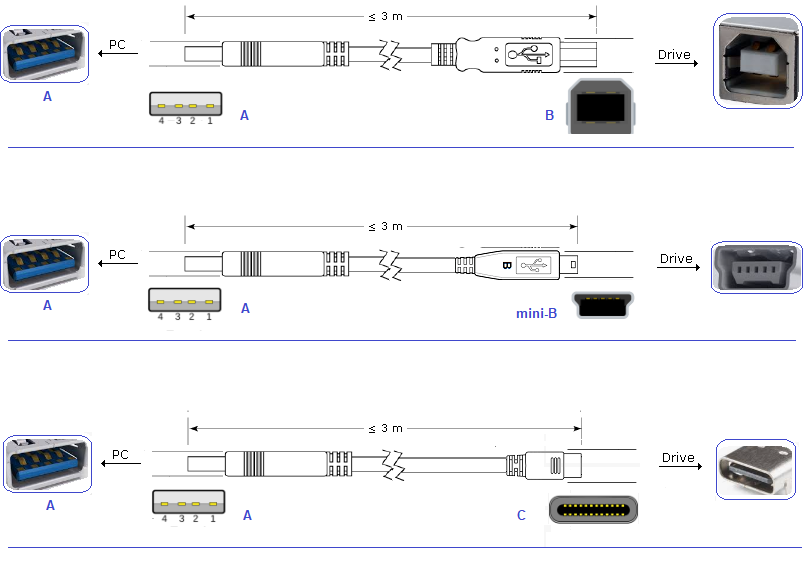
Figure 1: USB Cables
The figure below shows the connectors.
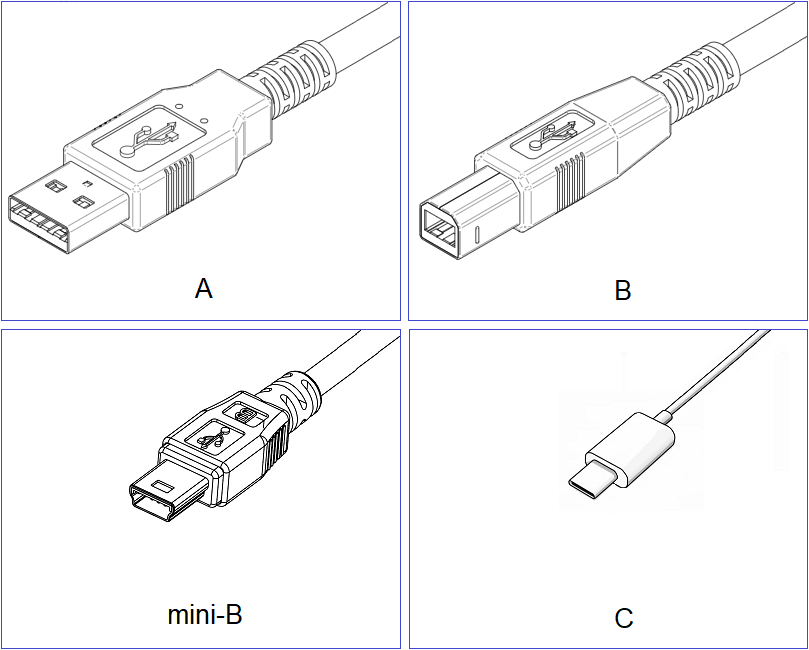
Figure 2: USB Connectors
A = Type A Connector
B = Type B Connector
mini-B = Type mini-B Connector
C = Type C Connector
Maximum cable size: 3 meters.
|
NOTE! Always use a USB shielded interconnection cable, standard host/device shielded USB cable. Unshielded cables may generate communication errors. |
|
NOTE! The USB connection is galvanically isolated from the power grid and other elevated voltages internal to the drive. The USB connection, though, is not isolated from the protection earthing (PE). Use an isolated laptop to connect to the USB connector, or a desktop connected to the same protection earthing (PE) as the drive. |
