|
COMPEQ |
  
|
|
COMPEQ |
|
Block that compares the values of Value1 and Value2, enabling the output Q if both are equal.
Ladder Representation
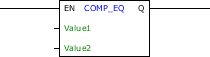
Block Structure
Variable Type |
Name |
Data Type |
Description |
VAR_INPUT |
EN |
BOOL |
Block enabling |
Value1 |
BYTE USINT SINT WORD UINT INT DWORD UDINT DINT REAL LREAL |
First value of comparison |
|
Value2 |
BYTE USINT SINT WORD UINT INT DWORD UDINT DINT REAL LREAL |
Second value of comparison |
|
VAR_OUTPUT |
Q |
BOOL |
Indicator of equality |
Operation
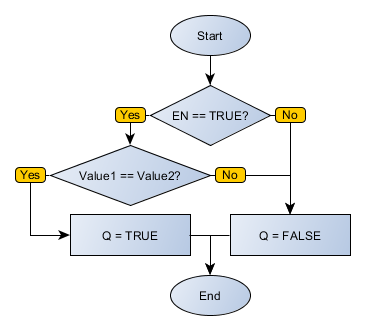
When this block has a TRUE value in EN, it sends to the output Q the TRUE value if Value1 and Value2 are the same. Otherwise, Q receives FALSE.
When EN has FALSE value, Q remains in FALSE.
Block Flowchart
Example in Ladder

The example above checks equality between VALUE1 and VALUE2. Since both variables have the same value, the Q output is activated.
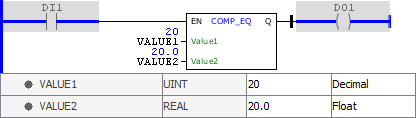
The example above checks equality between VALUE1 and VALUE2. Since both variables have the same value, the Q output is activated. Notice that the types of the input variables can be different without causing execution problems.
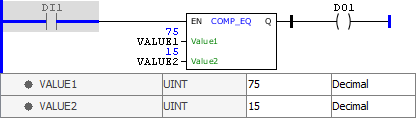
The example above checks equality between VALUE1 and VALUE2. Since both variables have different values, the Q output is disabled.
Example in ST
The example below displays the instructions for applying the example above in the ST language.
VAR VALUE1 : UINT := 75; VALUE2 : UINT := 15; END_VAR
DO1 := FB_COMP_EQ(EN:=DI1, Value1:=VALUE1, Value2:=VALUE2);
|
|---|