|
Download |
  
|
|
Download |
|
Overview
The resource download downloads the memory area configuration files, volatile data, retentive data, programs, screens, alarms, source code (optionally) and recipes (optionally) to the device internal memory.
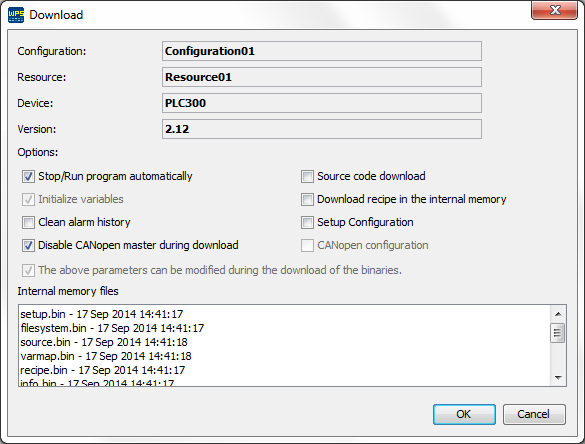
Figure 1: Resource download window
It is also possible to perform the following operations during the download of the resource:
| • | Initialize variables: Initializes the variables with the values configured in the initial values. |
| • | Clean alarm history: Excludes alarm history data stored. It is recommended to clean this area whenever the memory areas or the alarm configuration are changed. |
| • | Source code download: Downloads the resource source code. |
| • | Download recipe in internal memory: Downloads the file containing the recipe data configured with the storage option in the RAM. |
| • | Disable CANopen master during download: Disables the CANopen master during the download: |
| • | Stop/Run the program automatically: Disables the warning windows informing that the program will be stopped (Figure 2) and the prompting window asking if you wish to execute the program (Figure 3). |
| • | Setup configuration: Performs setup configuration data download. |
| • | CANopen configuration: Performs CANopen network configuration download. |
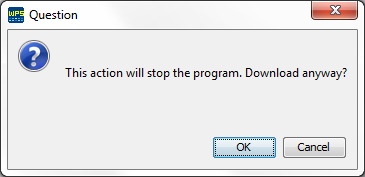
Figure 2: Warning window informing that the program will be stopped

Figure 3: Prompting window asking if you wish to run the program
Download of the SD card files
Depending of the device (PLC300 only), if the user configured one or more recipes with the option of storage in the SD card, the confirmation window of download of files in the SD card will show (Figure 4). For the window to show, it is necessary that the SD card be connected to the equipment.
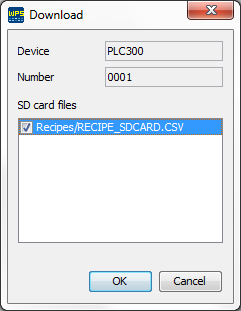
Figure 4: Confirmation window of download in the SD card
|
NOTA! Starting this procedure when the device has a clear memory, a message will be displayed indicating failure to enter transfer mode and/or failure to read device information file. |
