|
Configuration |
  
|
|
Configuration |
|
In order to create a new log file, just execute the operation below:
1. Create a new log file by selecting the Read Logs option; it is necessary to be connected to the device to execute this operation.
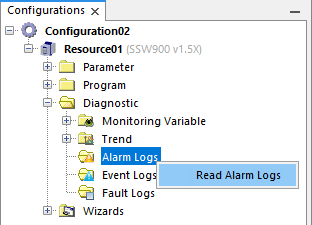
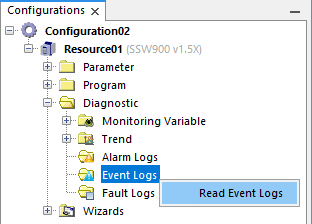
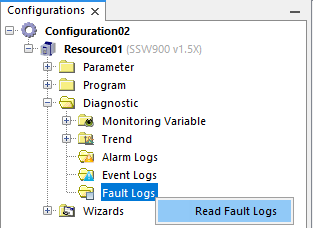
2. After the read logs step is completed, the log file will be automatically created with a name composed of the present data and time and with all the alarms, events and faults present on the equipment read.
