|
Overview |
  
|
|
Overview |
|
The log function allows viewing the present alarm and also the last alarms in a more friendly and centralized way than on the equipment HMI, showing the data in tabular form.
All downloaded alarms are saved in a file in order to keep a record for future reference; it is also possible to export the saved data as a csv file.
Below is an overview of the SSW900 log table.
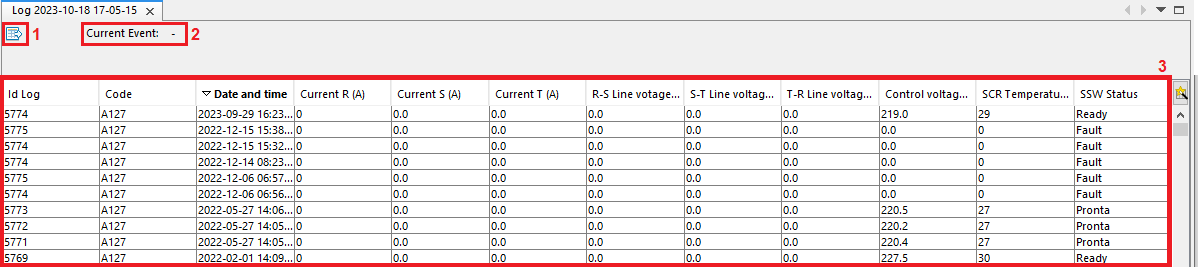
| 1. | Actions. Export of data shown in the table as a CSV file. |
| 2. | Present Alarm. This field shows the present alarm of the equipment if present. |
| 3. | Alarm Table. This table shows all the alarms, as well as the date when they occurred, code and some status settings at the time the event occurs. |