|
LAN |
  
|
|
LAN |
|
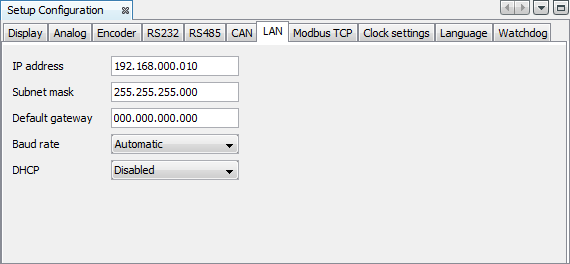
It is possible to configure the IP address, subnet mask, default gateway, DHCP, speed and duplex mode of the PLC300 in an Ethernet network.
| • | IP Address: Four bytes of address that identify the PLC300 in the IP network; |
| • | Subnet Mask: Four bytes that identify the subnet to which the PLC300 belong in the IP network; |
| • | Gateway: Four address bytes that identify the default gateway to access other subnets in the IP network; |
| • | DHCP: Disabled, Enabled; |
| • | Speed/Duplex: Auto, 10MBps Full Duplex, 10MBps Half Duplex, 100MBps Full Duplex, 100MBps Half Duplex. |