Overview
A task is a scheduling mechanism very useful in real time systems to periodically control the performance of programs, or whenever triggered by events.
Task configuration is carried out by adding task files to the "Task" folders, inside the resource. When the task becomes enabled, programs that perform the logic of these task files are associated to them. A watchdog (see watchdog section) may be configured for every task. Every task has an associated system marker that can be enabled or disabled through the program.
Inside a resource, there is a single task called "Main" that cannot be deleted, in which the main program (Main Ladder) is run.
In the task folder option menu, it is possible to perform the following actions:
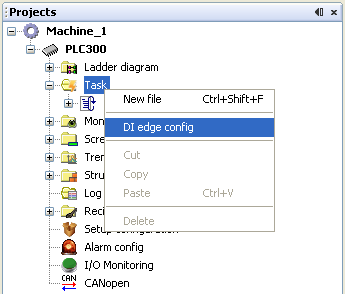
Add a new task: in order to add a new task, it is necessary to select the "New file" option in the "Task" folder.
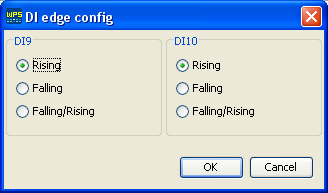
These DIs are used in tasks of the external event and count types.
Through the task folder option menu, it is possible to perform the following actions:
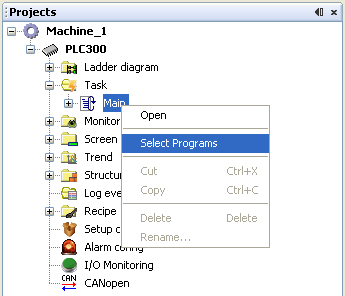
Configuring tasks: in order to configure the task, it is necessary to select the "Open" option in the task file to be configured. For further information on how to configure the tasks, see the "Task configuration" section.
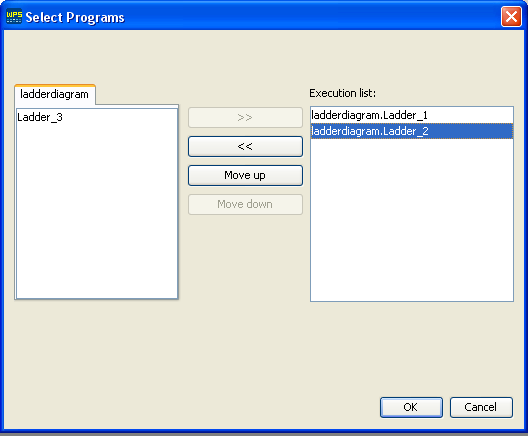
Add, remove, or order task programs: in order to add, remove, or order programs of a certain task, it is necessary to select the "Select programs" option in the task file to be configured. For further information on how to select the programs, see "Task configuration" section in item "List of programs".
Configuring the transition edge of digital inputs (DIs): digital inputs DI9 and DI10 have the option of triggering events through a rising, falling, or rising and falling transition edge. The configuration of these transition edges is made through the DI configuration window, which is accessed by selecting the "Configures DI transition" option in the "Task" folder.
Task Configuration
The following items are configured in the task configuration window:
| • | Priority, |
| • | Sequence of programs, |
| • | Type of task, and |
| • | Task watchdog options. |
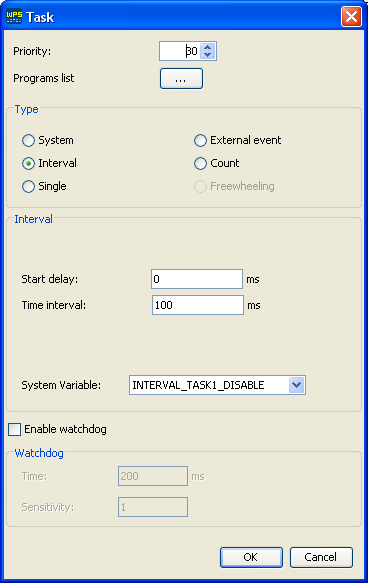
Priority: configured with a number between 0 and 30 (0 - higher priority, 30 - lower priority) which defines the priority in which the task will be performed. In case a task with a higher priority than that of the running task is activated, it will immediately start running. Otherwise, in case a task with a lower priority than that of the current one is activated, it waits for the current task to stop running before it starts running.
List of programs: the selection window in the sequence of programs serves to add, remove, or change the sequence of programs associated to a certain task. All programs available in the resource are included in the left side list, and the programs selected for this task are on the right side. The order in which the programs will start running will be the same order as the one defined in this list.
Types of Tasks
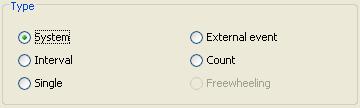
The tasks are divided in: system, interval, single, external event, count, and freewheeling.
System
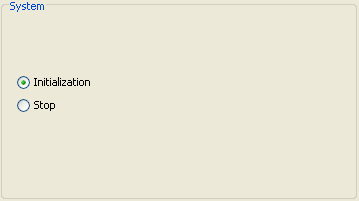
This task may be of the Initialization or Stop type. When the "Initialization" option is selected, the task will start running as soon as the user program runs for the first time. In case the "Stop" option is selected, programs associated to this task will start running right after the user program stops.
Interval
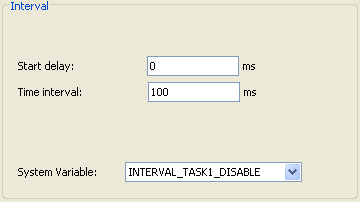
Programs associated to this task run repeatedly within the time interval defined in the "Time interval" field, being the delay time for the first performance defined in the "Initial delay" field. This task is associated to a system variable that allows the task to be disabled through the program.
Single
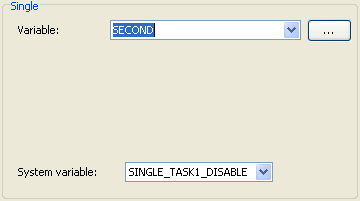
Programs associated to this task run one single time whenever the selected variable undergoes a positive transition, i.e. from zero to some other value. This task is associated to a system variable that allows the task to be disabled through the program.
External Event
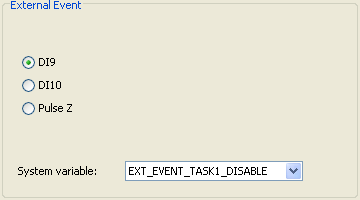
Programs associated to this task run one single time whenever event DI9, DI10, or Pulse Z is enabled. Events DI9 and DI10 have the option to select the transition that enables the task (see item "Configuring the transition edge of digital inputs" in the "Overview" section). This task is associated to a system variable that allows the task to be disabled through the program.
Count
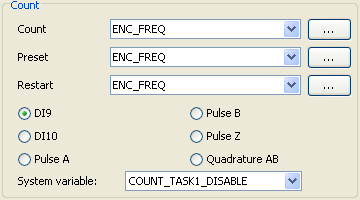
Programs associated to this task run every time the counting of pulses in the selected input (DI9, DI10, Pulse A, Pulse B, Pulse Z, and Quadrature AB) surpasses the value of the variable defined in the "Predefined" field. The value of the counting of pulses is stored in the "Count" variable. The value of the counting of pulses reinitializes when this value surpasses the value defined in the "Restart" field. The variables configured in these fields may be of the DWORD and UDINT types for inputs DI9, DI10, Pulse A, Pulse B, and Pulse Z, and DINT type is the variable for input Quadrature AB. This task is associated to a system variable that allows the task to be disabled through the program.
Freewheeling
Programs associated to this task run in a cyclic form. When the list of programs stops running, the list of programs is reinitialized until the user program stops. The main program (Main Ladder) is associated to this task, and it is not possible to remove it or associate it with another task.
Watchdog
When the watchdog option is activated, the user program stops with an error alarm in case the task running time is longer than the time defined in the "Time" field for a higher number of times than that defined in the "Sensitivity" field.
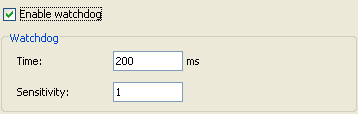
Time: Maximum time to run the task without watchdog error.
Sensitivity: Number of watchdog errors allowed before generating the error alarm and stopping the user program.
Available
| • | PLC300 : since version 1.20 |