How Do I Install a WEG Device in WPS?
Install the device module when the device is not available in WPS, when a recently released product is missing from the resource list, or when WPS needs a newer module to communicate with a device.
The procedure below installs the module from the WPS plugin manager.
Before You Begin
Make sure WPS is closed in all other sessions and that your Windows user has permission to install software components.
If the device was recently released, check for updates after installing the module. This helps keep the module compatible with newer firmware versions.
Open the Plugin Manager
In WPS, open Tools > Plugins.
Open the Available Plugins tab. WPS lists the device modules that can be installed.
Use the search field to find the device by name, select the required module, and click Install.
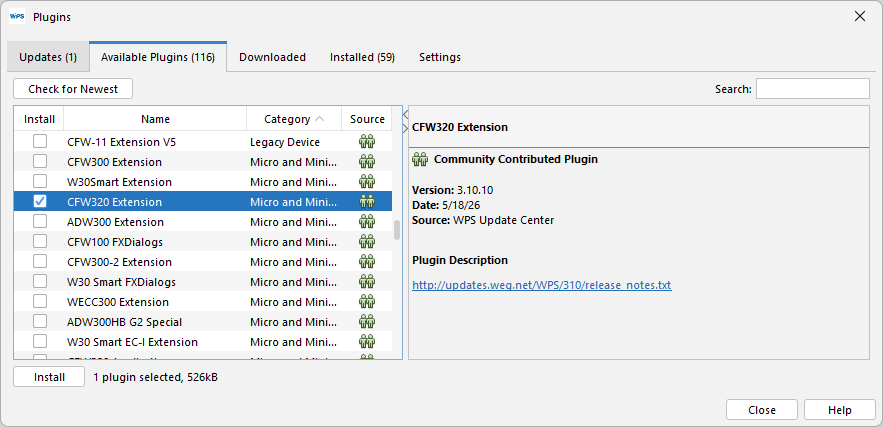
Search by device family or model name when the list contains many modules.
Select the Correct Module
Most devices have a main module whose name ends with Extension, for example CFW320 Extension.
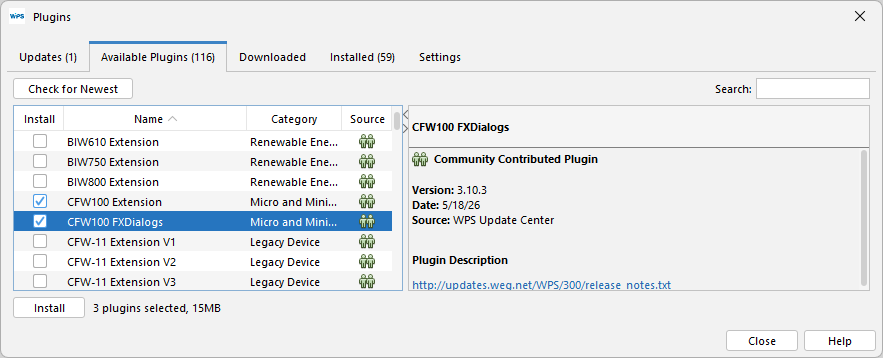
Some devices require two modules: the main module ending with Extension and an additional module ending with FXDialogs, for example CFW100 Extension and CFW100 FXDialogs. When both modules are available for the same device, select both before clicking Install.
Finish the Installation Wizard
Follow the installation wizard until the module installation is complete.

Restart WPS when prompted.

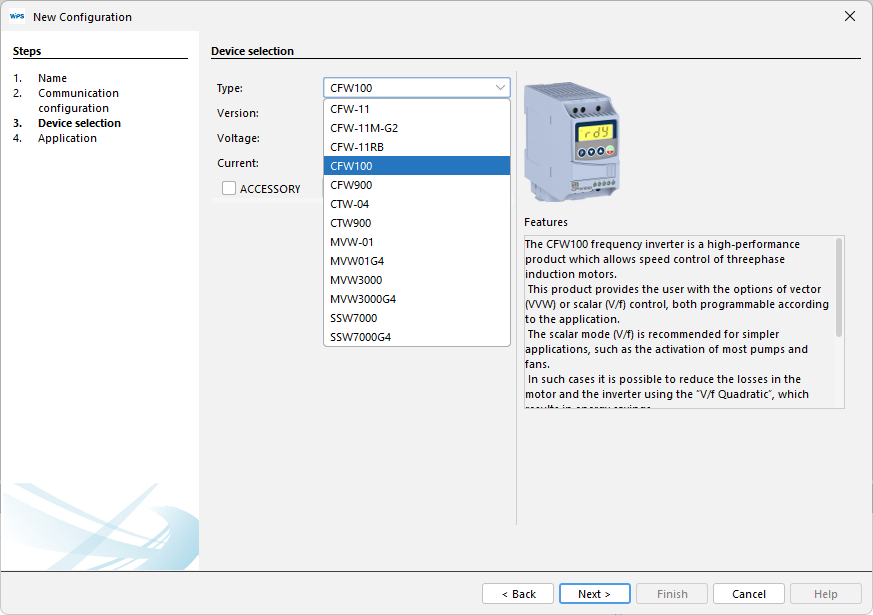
After WPS restarts, the device is available when creating a resource and when configuring communication.
Check for Updates
After installing a device module, run the update check in WPS. This reduces compatibility issues with newer firmware versions and device modules.
For the detailed update procedure, see Check for Updates.
For the detailed procedure to create a resource, see Creating a Resource.
Expected Result
The device appears in the resource creation workflow and is available for communication setup in WPS.
If the device still does not appear, confirm that the correct module was selected, restart WPS again, and check whether WPS has access to the update source used by your installation.