|
Compare Device Resource |
  
|
|
Compare Device Resource |
|
|
NOTE! The comparison of the resource to the equipment only works for firmware versions higher than version firmware. |
The comparison of the equipment resource (binary files) allows the user to compare the main resource of the application with the resource that is running on the equipment. To start the comparison, you need to access the menu Communication > Compare equipment resource.
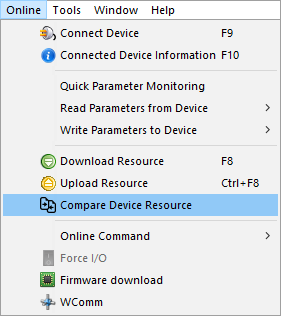
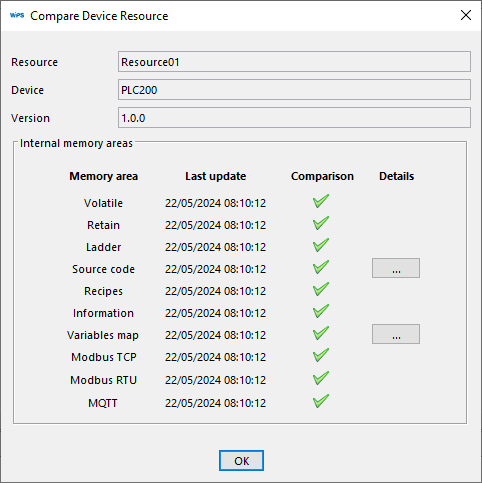
After selecting the comparison option, it is checked whether the resource is compiled so that the size and CRC information of the binary files will be read. Then, a comparison of each of the memory areas is run:
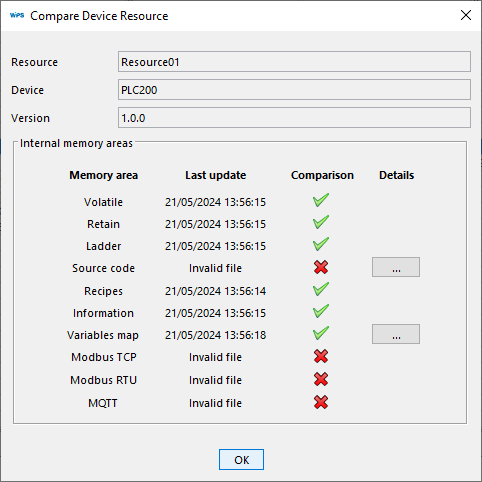
If memory areas have changed, a file system comparison error is shown:
Notes:
- Information files and source code are changed with each compilation.
- Volatile, retentive, source code and recipe files are optional in the download download. If these files download have not been downloaded, the comparison will appear flagged as false.
