|
Editing in the Rung |
  
|
|
Editing in the Rung |
|
The Ladder elements inserted in the rung require that variables be defined for each argument. See figure below.

Figure 1: Variables without declaration in the elements and blocks
In order to define a variable for the argument, it is necessary to enter the argument edition mode, which is done in two ways.
|
ATTENTION! As from the version 1.30 of the WPS the output arguments of the functional blocks can be optional. The arguments in question will not be initialized with the declaration ??? and may be omitted if they do not have to be used in the Ladder logic. |
| 1. | By the mouse: |
Double clicking the mouse directly on the argument
| 2. | By the keyboard: |
Pressing the F2 key.
For elements with one argument, it directly enters the argument edition mode.
In the other elements with more than one element, it is necessary to select the argument through the arrow keys and then press the F2 key again.
When entering the edition mode, the element will appear similar to the following figure.
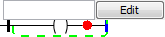
Figure 2: Attributing the variables
At this moment, an edition box will be enabled for you to enter the variable name. When the Edit button is pressed, a box to create the new variable will be enabled.
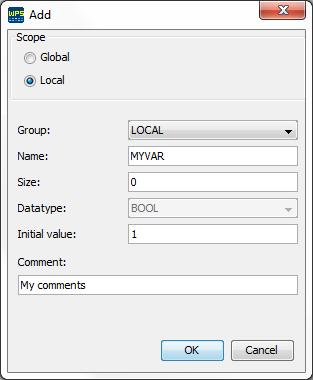
Figure 3: Creating the variable if its tag is not defined
In this box you should define the following options for the variable:
| • | Scope: if it belongs to the Global or Local group |
| • | Tag: variable identification |
| • | Size: number of elements of the array* related to the variable |
| • | Data Type: variable numeric type |
| • | Group: Group to which the variable belongs |
If there are already variables defined for the type compatible with the Ladder element, a selection box with these variables will show together with the edition box. In order to select the desired variable, press the down arrow key and after having the variable selected, press enter. The figure below shows this function.
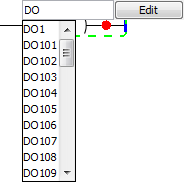
Figure 4: Selecting variables when typing
