|
Compile |
  
|
|
Compile |
|
In order to compile a Program (POU), there are four options:
| 1. | Through the menu Configuration > Build Main Resource. |
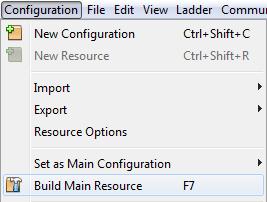
Figure 1: Compile from the Menu
| 2. | Through the shortcut key F4. |
| 3. | Through the button on the Toolbar. |

Figure 2: Compile from the Toolbar
| 4. | Clicking the right button of the mouse on the name of the resource. |
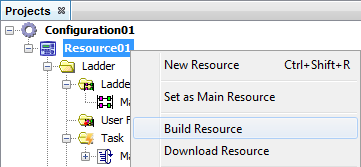
Figure 3: Right button of the mouse on the resource
The results of the compilation, indicating errors and warnings, can be viewed through the Default Output window.
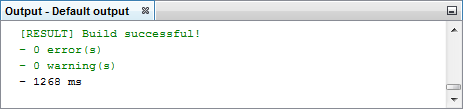
Figure 4: Results of the compilation